ERP systems: does your company need one?
The word ERP worries people: a long project, a big cost and change everywhere. At its core, though, the idea is simple: every department working on one set of data. When do you need it, and how do you start at your company’s size?
When the manager of a mid-sized company hears “ERP”, they often picture a huge project that runs for months, changes how everyone works and costs more than the business can carry. That picture is not entirely wrong for some large global systems, but it keeps many companies away from an idea they genuinely need. At its core, an ERP, enterprise resource planning, is simple: every department working on the same data, instead of each keeping its own version of the truth.
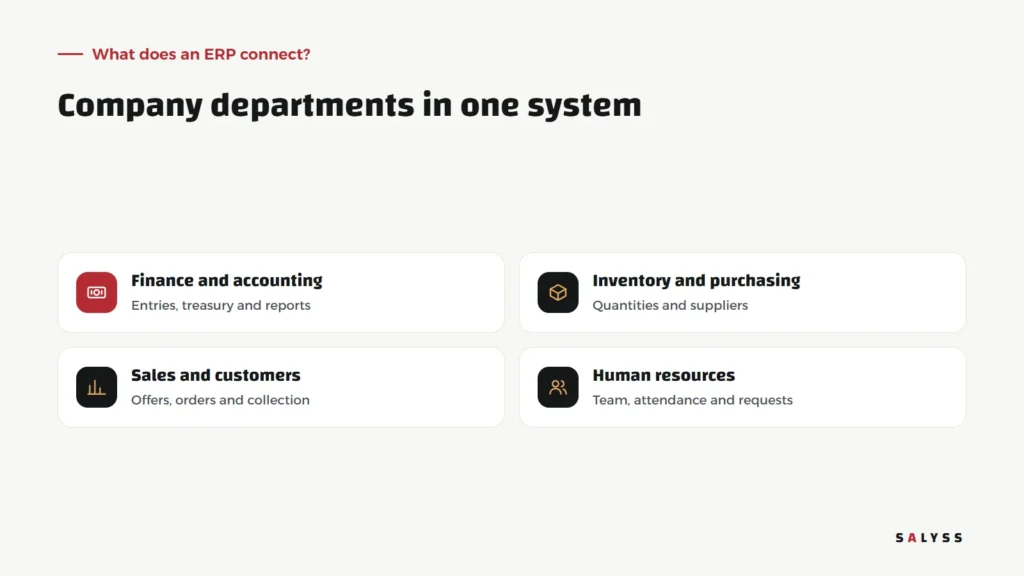
What does an ERP connect?
In a company without a unified system, sales records an order in a sheet, sends it to the warehouse by message, the accountant re-enters it in the accounting software, and at month-end the figures are gathered from three sources that disagree. In an ERP, the order is recorded once and its effect appears automatically in inventory, accounts and reports.
Finance and accounting
Entries, treasury, receivables and financial reports, built on real transactions rather than figures copied by hand.
Inventory and purchasing
Available quantities, item movements, suppliers and purchase orders.
Sales and customers
Offers, orders, invoices and collection, and often customer follow-up too. Read about the difference in our article on CRM systems.
Human resources
Team records, attendance, leave requests and the accounting tied to them.
Six signs you need an ERP
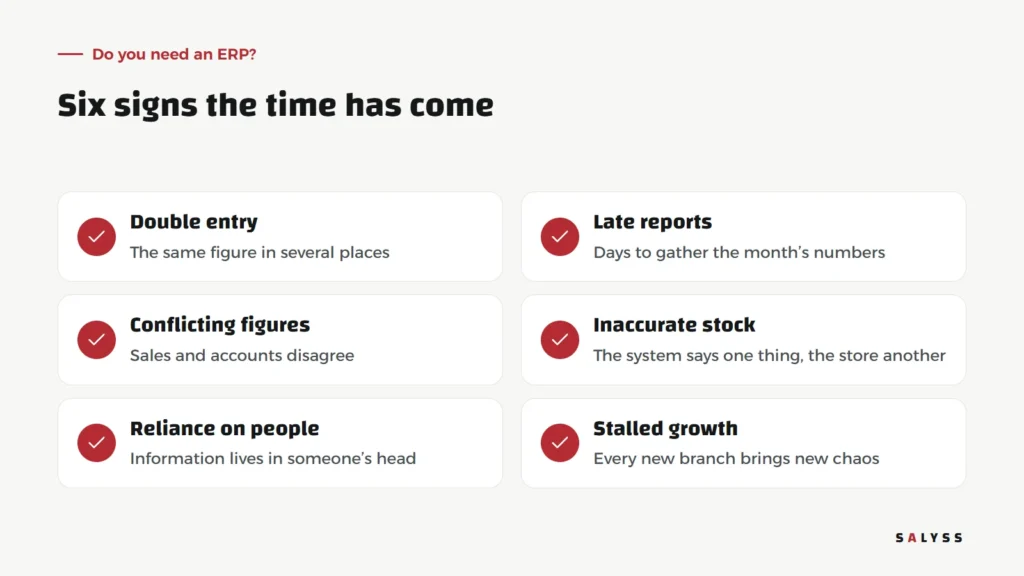
Not every company needs an ERP from day one. A small company with a simple process may manage with good accounting software. But some signs clearly say separate tools are no longer enough: the same figure entered in several places, monthly reports that take days, sales and accounts that never agree, stock in the system that is not on the shelf, important information living in one person’s head, and every new branch or activity adding new chaos.
The problem is scattering, not size
A common mistake is thinking ERP is only for large companies. Size alone is not the test. A mid-sized company with three activities and two branches can suffer more from scattered data than a large one with a single activity. The real test: how often is the same information re-entered, and what does it cost you when the figures differ?
A global package or a system at your size?
Large global systems are powerful and comprehensive, but they usually ask the company to adapt to their way of working and need consultants and long training. Alternatively, some systems are built in stages around the company’s own process, starting with the most urgent part and growing from there. There is no single answer; we cover the comparison criteria in choosing business software.
Start in stages
The biggest risk in ERP projects is trying to implement everything at once. The safer path:
- Start with the most painful area: usually sales and collection, or inventory, depending on your business.
- Migrate data carefully: a new system filled with unreviewed old data simply moves the mess somewhere new.
- Connect the next department: once the first is stable and the team trusts it.
- Retire the old alternative: do not let spreadsheets run in parallel forever, or the system stays optional.
People before the system
Any ERP changes how several departments work at once, so its success depends on people as much as on software. The accountant used to the same program for years, the storekeeper who knows every item by memory, the salesperson working from a phone: each needs to see what becomes easier in their own day, not just in management reports. Involve daily users in defining needs from the start, train them on their actual work rather than a generic demo, and appoint someone in each department as the go-to person for colleagues in the first weeks. These simple steps remove much of the resistance that stalls system projects.
How we think about this at SALYSS
We built SALYSS products on the idea of one operating system: SALYSS Platform (page in Arabic) connects sales, customers, operations and finance, with modules added by industry, such as SALYSS Realty for real estate companies and SALYSS Commerce for stores. The goal is not to replace everything in a day, but for every new part to work on the same data.
Questions before you begin
- Which processes involve re-entering data today?
- Which report does management need that is always late?
- Who will follow the project on your side and own decisions about change?
- What must work first for the team to feel the benefit?
Answers to these questions, even on a single page, make any conversation with a vendor clearer and shorter, and protect you from a proposal selling modules you do not need yet.
If you would like to map your company’s data with us before deciding anything, book a free consultation.
Frequently asked questions
What does ERP mean?
Enterprise resource planning: a system that connects a company’s main departments, such as finance, inventory, sales and HR, on one database.
Should all ERP modules be rolled out at once?
No. Starting with the most painful area and adding others later lowers risk and lets the team see the benefit early.
How is an ERP different from a CRM?
A CRM focuses on customers and sales; an ERP connects all departments, and the CRM is often one of its parts or connected to it.