A website page builder your team can use
Changing a headline or an image on your site should not wait for a developer. How does SALYSS Builder Pro let your team edit pages without losing the site’s identity?
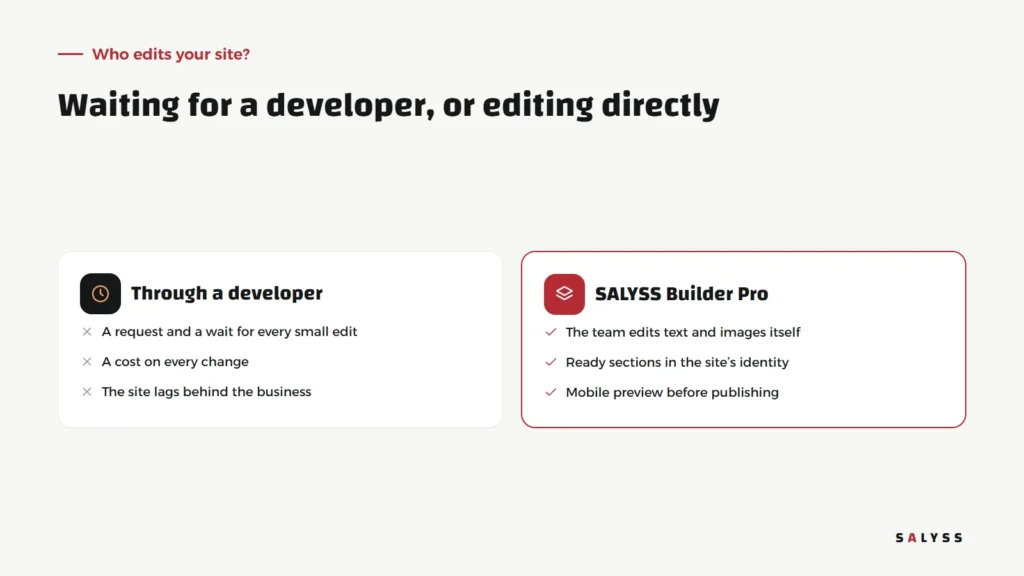
In many companies, a small website change turns into a project. You want to swap the current offer image, add a section about a new service, or fix a phone number; so you send a request, wait, pay, then spot a small mistake and wait again. The result is a website that always lags behind the company. A website page builder solves this when it gives the team the power to edit, without opening the door to chaos.
SALYSS Builder Pro is the tool we build our pages with, including salyss.com, the site you are reading this on, in both Arabic and English.
Why does the website lag behind the company?
A company changes every month: new offers, project launches, added services, questions customers keep asking. The website stays the same because every edit goes through one person outside the team. When editing becomes expensive, the company stops asking, and the site becomes an outdated front that no longer reflects what it offers.
At the other extreme, fully open site builders give unlimited freedom, which often ends in pages with different fonts and colours, as if each were designed by another company. What we need is the middle ground: freedom in content, consistency in identity.
From idea to a published page
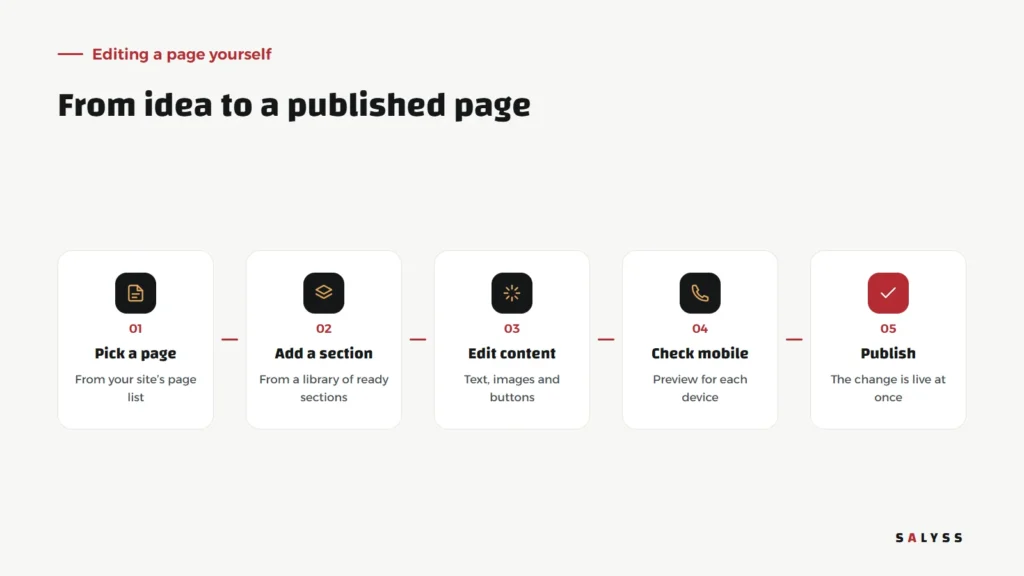
In SALYSS Builder Pro you start from the page you want to edit, then add a section from the library: a hero, product cards, client cases, FAQs or a call to action. You edit the text, images and buttons, check the result on mobile and desktop, and publish.
Freedom in content, consistency in identity
Every section is pre-built in the site’s fonts, colours and spacing. So when a team member adds a new section, it looks like part of the original design. The available settings are deliberate: a section background from the brand palette, spacing density, and the motion style on reveal. Enough to vary pages, without letting the site drift from its identity.
Every device gets its preview
Most visitors to company websites now arrive on mobile, yet many pages are only checked on desktop. In SALYSS Builder Pro some settings can be set per device, and pages can be previewed on mobile and tablet before publishing. That way customers do not find a problem the team never saw.
Where do better pages come from?
The aim is not for the team to do without designers and developers, but to free them for work that needs their expertise: a section with a new idea, or connecting the site to an internal system. Day-to-day content belongs with the team that knows customers and hears their questions.
Pages your team can keep up to date
- The current offer page: updated with every campaign, no waiting.
- A new project or product page: from the same sections as earlier pages, so it matches their quality.
- FAQs: sales adds every question that keeps coming up.
- Client cases: added as each real case is completed.
Before handing the site to the team
- Decide who edits and who reviews before publishing, especially on pages that mention prices or promises.
- Prepare an image library that fits the brand, so random photos do not creep in.
- Agree on a writing style: short sentences, plain language, one call to action per section.
SALYSS Builder Pro is part of SALYSS Platform (page in Arabic) and comes with the websites we build. To see how your company site could work this way, book a free consultation.
Frequently asked questions
Does the team need coding skills to use SALYSS Builder Pro?
No. Editing happens on ready sections: text, images, buttons and simple settings, with no code.
Can editing break the site’s look?
Sections are built in the site’s own fonts, colours and spacing, so the look stays consistent whatever the content.
Does it support Arabic and English pages?
Yes. salyss.com itself is built with it, in Arabic and English.