Managing employee leave and permission requests
A leave request on WhatsApp, a verbal OK, then a dispute a month later over what was approved. Managing leave and short-absence requests looks like a small detail, but it shapes team trust and clarity.
In many companies, a leave request starts with a message to the manager and ends with “OK”. Nobody else knows, HR hears about it later, and a month on the two sides disagree: was it two days or three? Was the permission two hours or half a day? Managing leave and permission requests looks like a small administrative detail, but it touches team trust directly, and affects management’s ability to know who is working and who is away on any given day.
Why messages are not enough
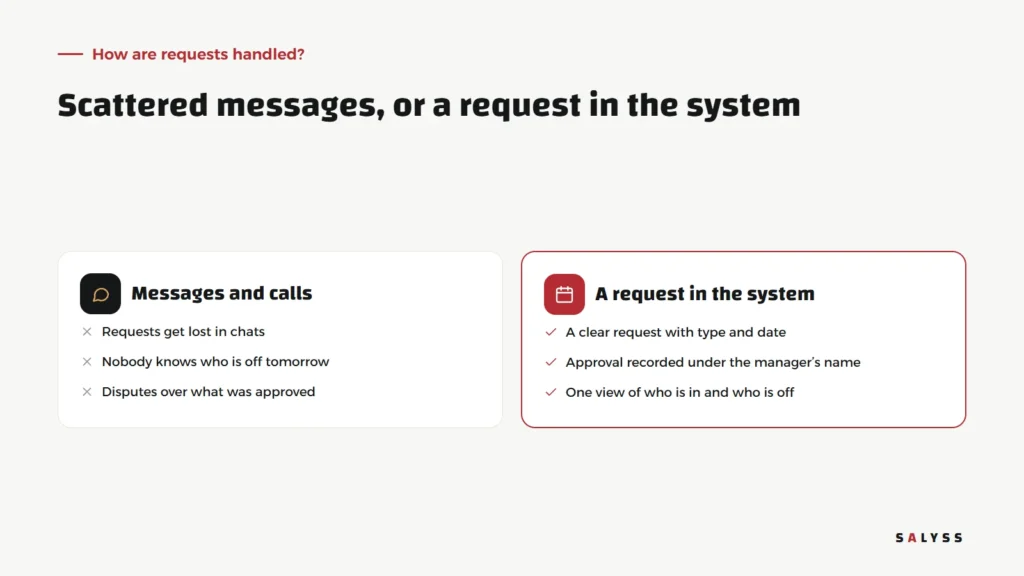
- Requests get lost: among dozens of daily chats, a request or a reply is easily forgotten.
- No full picture: the manager knows about their team, but other departments do not know a colleague is off tomorrow.
- No reliable record: when balances are calculated or attendance is reviewed, everyone searches old messages.
- A sense of unfairness: when rules are not clear and written down, employees compare what each of them got.
A request’s journey in the system
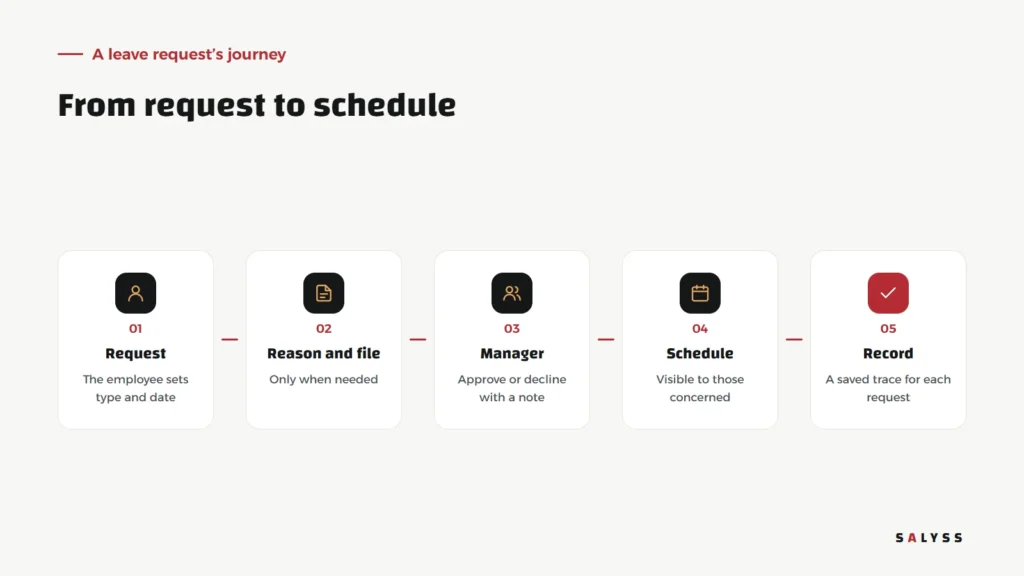
The request
The employee chooses the request type, leave or permission, and sets the date or hours. A short form with few fields, sent from a phone in under a minute.
Reason and attachment
Only when needed. A one-hour permission should not turn into a long form, or staff will go back to messaging.
Manager approval
The request reaches the direct manager, who approves or declines with a note. The approval is recorded under their name and date, leaving no room for later disputes.
Schedule and record
The approved request is visible to those concerned and saved in the employee’s record. When attendance is reviewed, approved absence shows differently from unexplained absence.
Link leave to attendance
A leave system is worth twice as much when it is linked to attendance. An employee who has not clocked in today: are they late, on approved leave, or on an outside task? When requests and attendance live in one system, the answer is immediate instead of the manager calling everyone. This matters especially for field teams who do not work from the office, as we discussed in managing field teams.
Clear rules before the system
A system enforces policy; it does not write it. Before any tool, agree with management on:
- The types of leave and permissions your company uses.
- Who approves each type, and who stands in when they are away.
- How far ahead a request must be made, and what counts as an emergency exception.
- When an attachment is required, and when it is not.
A simple, written policy shared with everyone reduces disputes more than any system. When the policy changes, what the system enforces should change the same day, and the team should be told clearly, so nobody keeps working by the old rules while others follow the new ones.
How we applied it in SALYSS Business Park
In SALYSS Business Park, we brought everything about the team into one human resources section: team records, leave and permission requests, and a “who is working now” board showing who is at work at this moment. It connects to the attendance punch button, which verifies the employee’s location by GPS, then the Wi-Fi network, then the internet address; if none can be verified, the punch is recorded as pending until a supervisor reviews it. The aim is for a manager to find the answer on one screen, not in ten chats.
Urgent requests and exceptions
Not every request arrives days in advance. Someone wakes up ill, a family matter comes up, an unplanned permission is needed. A good system does not shut out these cases; it lets the request be logged after the fact with a reason, so the record stays complete even in emergencies. What matters is that an exception stays clearly an exception, not a routine way around the rules. When the same exception keeps recurring, it is a sign the policy needs reviewing, not tightening.
What should each side see?
- The employee: their requests and their status, without asking anyone.
- The direct manager: requests awaiting their decision, and who on their team is away.
- HR: the full company picture and the history.
- Senior management: who is working now, without the detail of every request.
Deciding what each role sees is part of protecting employee data, as we explain in user permissions.
Where to start
- Write your current leave and permission policy on one page, even if it is unwritten today.
- Agree a rule: no approval except through the system, even for urgent requests.
- Start with leave and permissions only, then link them to attendance.
- Review after a month: have questions and disputes gone down?
Explore SALYSS Platform (page in Arabic), or book a free consultation to see how your team’s requests could be organized.
Frequently asked questions
What is the difference between leave and a permission?
Leave is an absence of a day or more; a permission is leaving early or arriving late for some hours within a working day. Both need a request, an approval and a record.
Does every request need an attachment?
No. Ask for one only when company policy requires it, such as sick leave. Too many conditions push staff back to messaging.
How does a manager know who is off today?
When approved requests are recorded in the system and linked to attendance, there is one view of who is working now and who is on leave or a permission.