Automating repetitive tasks in your company
How many hours does your team spend each week copying figures, sending reminders and assembling reports? Task automation is not about replacing people, but freeing their time for work that genuinely needs a person.

At the end of every working day, someone is copying figures from one sheet to another, someone else is sending reminder messages one by one, and a third person is assembling the weekly report from scattered files. These tasks are necessary, but they need no thinking, and they eat time that could go to a customer or a decision. Automating repetitive tasks simply means letting the system do this work by clear rules, and keeping people for what needs people.
How does automation work?
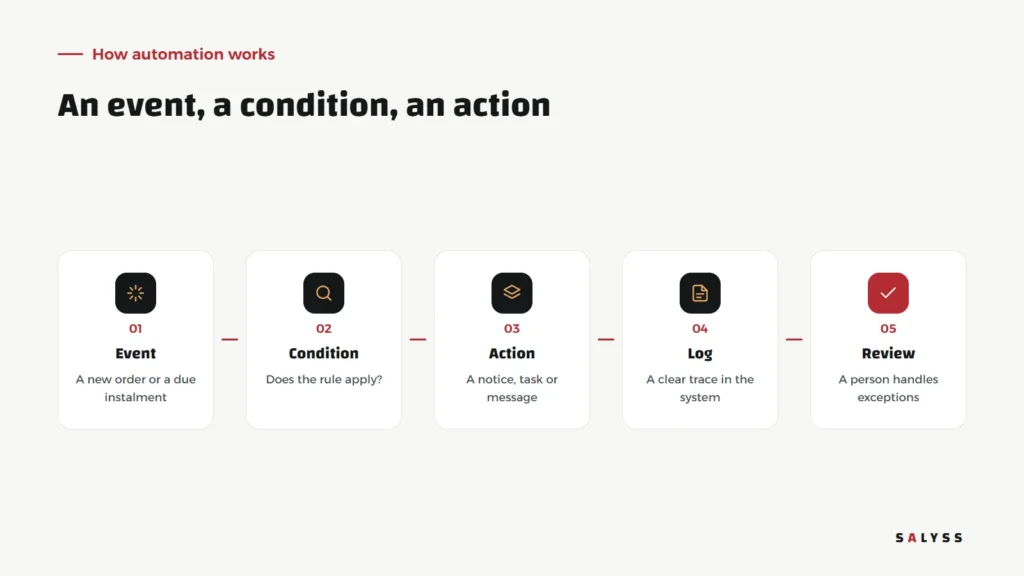
Any automation, from the simplest to the most complex, has three parts: an event that happens, such as a new lead arriving or an instalment falling due; a condition that is checked, such as whether the lead came from a certain campaign or two days have passed with no contact; and an action that runs, such as assigning the lead, creating a task or sending a notice. Two more parts matter just as much: a log of what happened, and human review of cases the rule does not fit.
Tasks worth starting with
Lead assignment
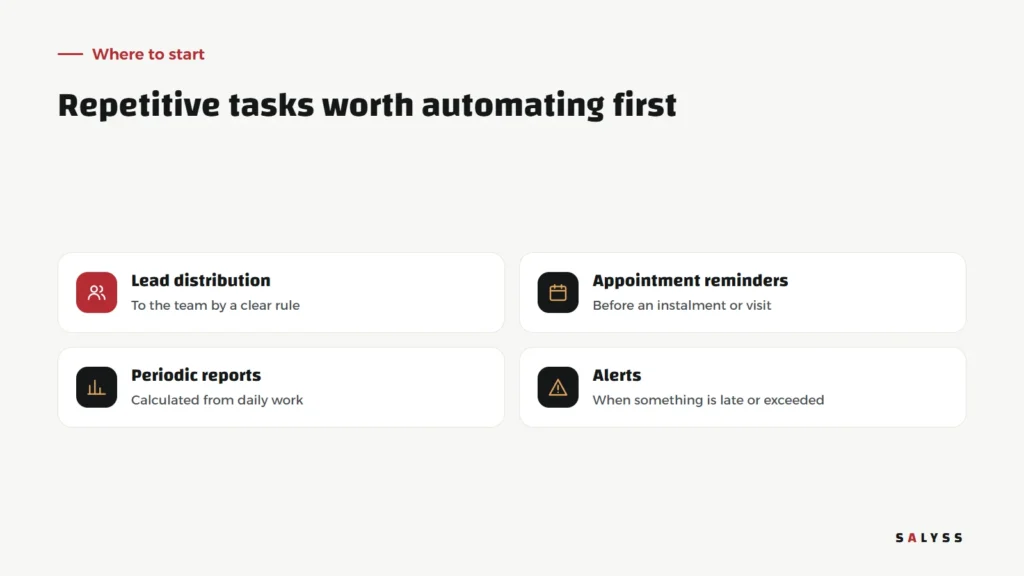
Instead of waiting for a sales manager to hand out leads manually, each one is assigned immediately by an agreed rule: in rotation, by project or by area. Speed matters here; a lead contacted quickly is different from one left until tomorrow.
Appointment reminders
Reminding customers before an instalment is due, and reminding staff before an agreed visit or call. We explain why reminders before the due date matter in collecting property instalments.
Periodic reports
When daily work is recorded in a system, there is no need to assemble reports by hand. Figures are calculated automatically and shown on one board. Read about management dashboards.
Alerts
A lead with no contact for days, a late instalment, a claim past its date. A timely alert stops a small problem from growing.
What you should not automate
Automation is powerful, but it is not the answer to everything. Some work should stay with people:
- Negotiation and decisions: the system prepares the information; a person decides.
- Sensitive cases: an angry customer or one struggling to pay needs a call from a person, not an automated message.
- Financial approvals: the system organizes requests and flags them, but approval stays with whoever holds the authority.
- Unsettled processes: if the method itself changes every week, settle it first, then automate it.
Common mistakes
- Automating chaos: a process that is unclear by hand just becomes faster chaos.
- Too many messages: flooding customers or staff with notifications teaches everyone to ignore them.
- No owner: every rule needs someone to review it when circumstances change.
- Scattered tools: chaining five tools together creates failure points that are hard to trace.
Automation starts with unified data
The hardest part of automation is not writing the rule but having the data it needs in one place. If sales live in a sheet, instalments in another program and conversations on staff phones, every automation needs fragile links between scattered places. That is why the first step is often unifying work in one system; automation then follows naturally. It is what we build in SALYSS Platform (page in Arabic): recorded daily work on which reminders, alerts and reports are built.
How to measure the effect
Before automating a task, note how it is done today: who does it, how often, and what happens when it is forgotten. A few weeks after automating, return to the same questions. Are leads contacted faster than before? Do fewer instalments pass without a reminder? Is the weekly report ready without anyone spending a day on it? You do not need complex figures; an honest before-and-after comparison is enough. If nothing tangible changed, the task may not have mattered enough, or the rule needs adjusting. Good automation is felt by the team in their day, not only in a presentation.
And what about AI?
Traditional automation follows fixed rules you write; AI adds the ability to handle text and unexpected cases, such as summarizing a conversation or suggesting a reply. But it works best on top of organized data and clear rules. Read about AI in business management.
Where to start
- Ask each department to list three tasks it repeats daily or weekly.
- Pick one with a clear rule that costs something when forgotten.
- Write the rule in plain words: when this happens, and if that is true, do this.
- Run it for two weeks, review the exceptions, then move to the next.
If you would like to identify the first task worth automating in your company, book a free consultation.
Frequently asked questions
Does automation mean cutting staff?
In most companies, no. Automation removes dull, repetitive work so the team can focus on customers and decisions that need human judgement.
Which task should I automate first?
One that repeats often, follows a clear rule, and costs something tangible when forgotten, such as reminding customers before an instalment or assigning leads to the team.
Do I need separate automation tools?
Not always. When company data lives in one system, automation is easier to build inside it, with fewer connections that can break.