Google Business Profile for local businesses
When customers search for your kind of business nearby, the first thing they see is often not your website but your Google profile. How do you make it work for you?
Picture a customer searching for your service in their area. They type the service and the city, and a map appears with several businesses, each with a name, rating, photos, opening hours and a call button. Before visiting any website, they have formed an opinion and chosen. That card is the Google Business Profile, and for local businesses it is often the customer’s first impression. Yet many companies leave it incomplete or outdated, or do not know it exists.
What is a Google Business Profile?
It is a free profile a business manages itself, shown in Google Search results and on Google Maps. It displays the essentials: name, category, address, phone number, website, opening hours, photos, and customer reviews with the business’s replies. To control the profile, you must prove you own the business through the verification steps Google requires.
The elements of a complete profile
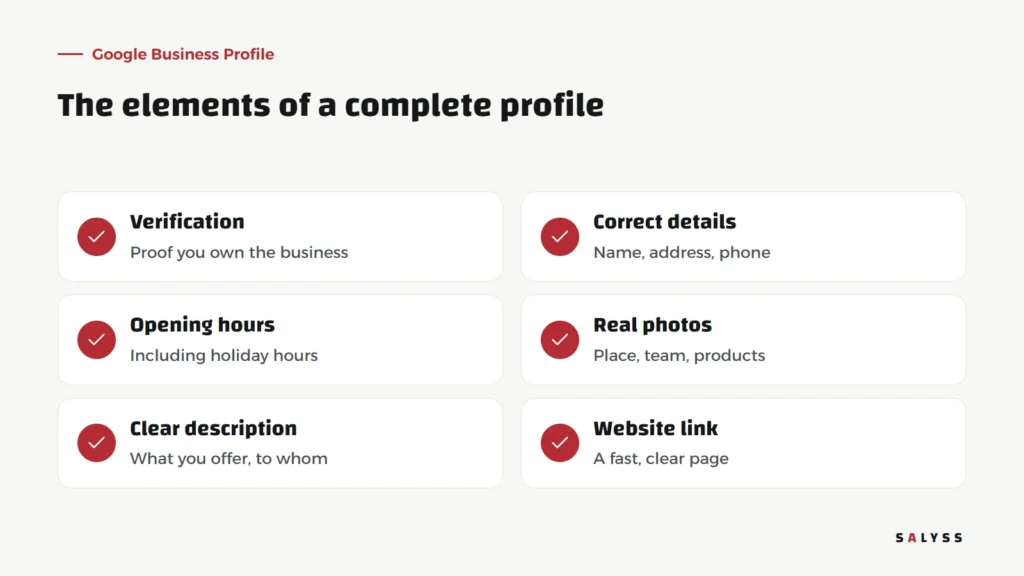
Correct, consistent details
Name, address and phone number must be correct and match your website and pages. An old number nobody answers loses the customer at the very moment they decided to call. Choose your business category carefully, because it shapes which searches you appear in.
Opening hours
A customer who arrives to find your office closed although Google said open will rarely return. Keep hours current, and add holiday and special hours.
Real photos
Exterior photos help customers find you; photos of the interior, the team and your products build trust. Clear, real photos are far better than stock images that look nothing like the place.
A clear description
Explain what you offer and to whom, in plain language. Do not stuff it with repeated keywords; write what a customer needs to know to decide to get in touch.
Reviews: the heart of the profile
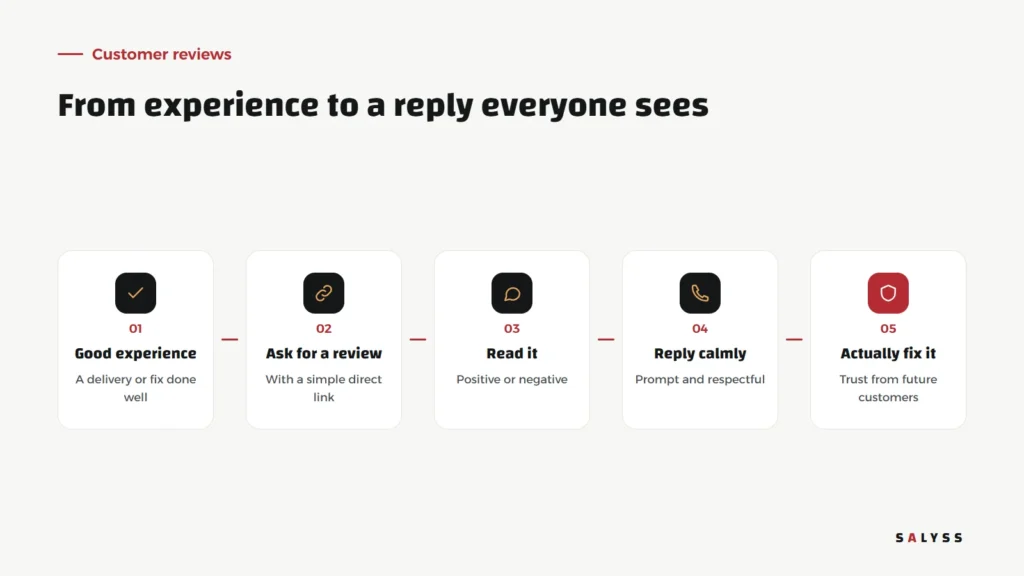
Customers read reviews before they call, and read the business’s replies just as closely. Ask satisfied customers for a review at the right moment, after a successful delivery or a solved problem, and make it easy with a direct link. Never buy reviews or write them yourself; it breaks Google’s policies, and customers spot it easily.
A negative review is not a disaster. Reply calmly and promptly: apologize for the experience without arguing, offer a solution or direct contact, then actually fix the problem. A future customer reading a respectful reply to a complaint trusts you more than a business with nothing but perfect ratings.
Posts and updates
The profile lets you publish short updates: an offer, news, a new product or an event. They appear as customers browse your profile and show that the business is active. You do not need to post daily; regular updates are enough to keep the profile alive.
More than one branch?
If your company has several branches that customers visit, each branch gets its own profile with its own address, hours, phone number and photos. Customers look for the nearest branch and need that branch’s hours, not the company’s in general. With several profiles, it matters to have a clear owner for them: updating hours when they change, replying to each branch’s reviews, and making sure every branch number is actually answered. A neglected branch profile hurts the whole company’s reputation, because customers do not distinguish between branches when they read a bad review with no reply. Make profile upkeep a regular task in the team’s schedule, not something remembered only when a problem appears.
Common mistakes
- An unverified profile: leaving others free to suggest edits to your details.
- Details that differ from the website: a different number or address confuses customers and erodes trust.
- Ignoring reviews: reviews with no replies suggest nobody is paying attention.
- Adding keywords to the business name: stuffing the name breaks the guidelines and can get the profile suspended.
- A broken website link: or one leading to a slow page that does not answer the customer’s question.
Link the profile to your website and follow-up
The profile helps customers find you, but what happens next depends on your website and your team. When they click the website link, they should land on a fast, clear page, as we explain in our article on website speed. When they call, someone should answer, record the enquiry and follow it up. Record every lead’s source and you will know how many customers Google actually brings. Read also about search engine visibility.
Where to start
Search for your company on Google and Google Maps today. Does your profile appear, and are its details correct? If it does not exist or is not verified, start there. Then complete hours, photos and description, and reply to your latest reviews. If you want your website ready for visitors arriving from Google, explore SALYSS Platform (page in Arabic), or book a free consultation.
Frequently asked questions
Is Google Business Profile free?
Yes. Creating and managing the profile costs nothing. Google Ads is a separate paid service.
Should I reply to negative reviews?
Yes, calmly and respectfully. Your reply shows future customers that you care and solve problems, and it often matters more than the review itself.
Does the profile replace a website?
No. The profile helps customers find you; the website explains what you offer in detail and turns interest into contact. Each works best with the other.