Hybrid work: a team between office and home
The question is no longer office or home, but how to keep a team connected when it is spread across both. Simple rules and tools that make hybrid work succeed.
The way many companies work has changed in recent years. After the forced remote-work experience, some companies discovered that part of the work gets done efficiently from home, and others found that losing face-to-face contact hurt the team. The result for many is a model in between: hybrid work, where the team splits its time between office and home. But hybrid work does not succeed on its own. Without clear rules it turns into chaos: meetings half the team attends, decisions the absent never hear about, and management that does not know who is working and who is not.
Why are many companies moving to hybrid work?
- For employees: less time commuting, flexibility in organizing the day, more focus for individual work.
- For the company: access to capable people who do not live near the office, and office space used better.
- For the team: office days become for meeting and discussion, not for sitting at a screen next to a colleague you do not talk to.
Those benefits only appear when everyone knows when they are where, how to communicate, and where to find information.
Four rules that keep a team connected
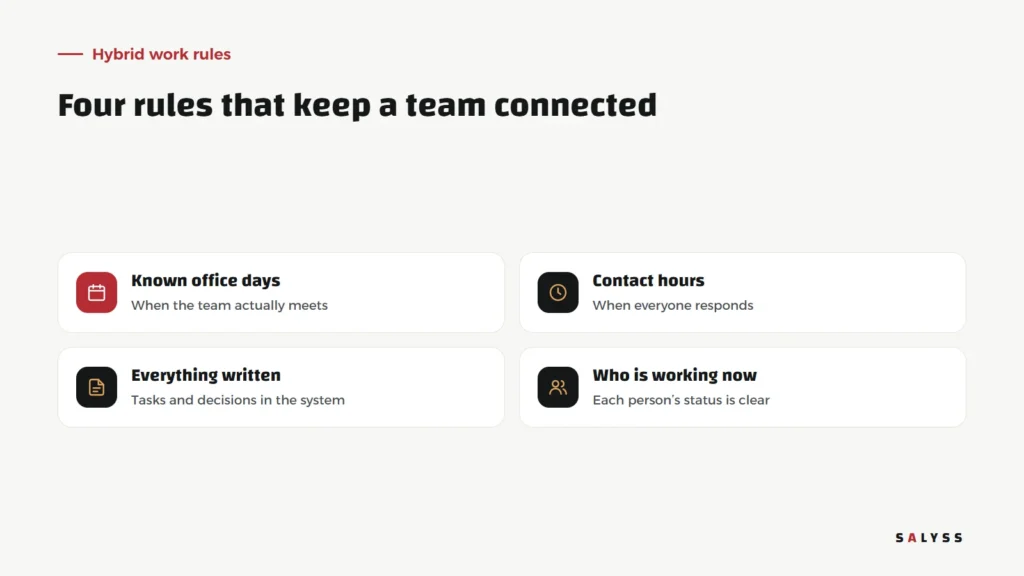
Known office days
Instead of everyone choosing their own days, set days when the whole team, or most of it, comes in. Those days are for meetings, shared decisions and training new people. Coming to the office only to work alone at your laptop wastes the point.
Contact hours
Set hours when everyone answers messages and calls, wherever they are. Outside them, focus time is respected. This stops people at home feeling they must reply every moment.
Everything written
Tasks, decisions and updates are recorded in the system, not in a chat by the desk. The rule: if it is not written, it did not happen. That ensures people at home know what people in the office know.
Seeing who is working now
When the team is spread out, managers and colleagues need to know who is available now without calling to ask. SALYSS systems include a “who is working now” board that shows each team member’s status, so a manager can see who is working, who is on leave and who is outside working hours.
Office and home each have a role
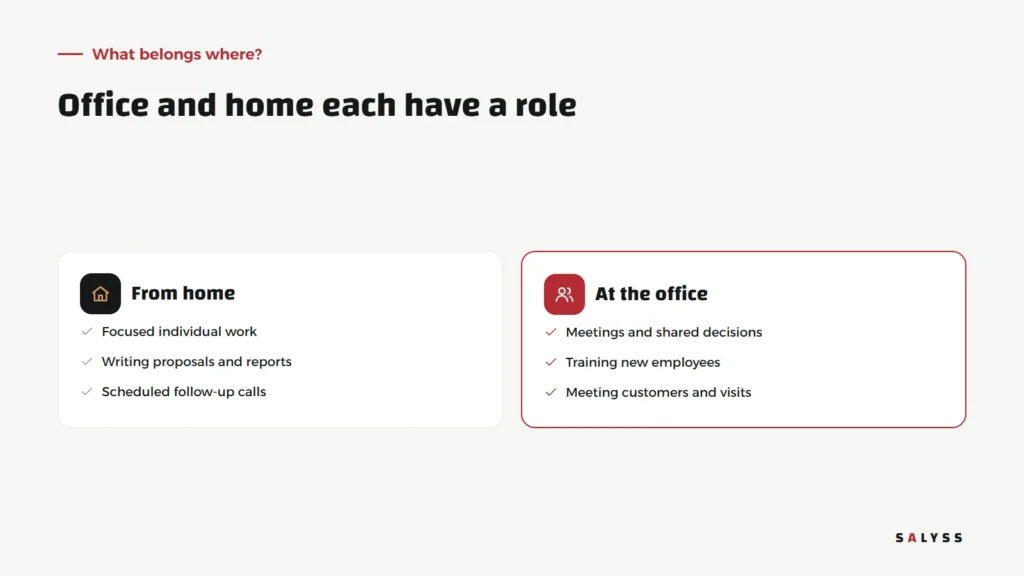
Not all work suits home, and not all work needs the office. Focused individual work, such as writing proposals and reports or scheduled follow-up calls, is often done well from home. Meetings that need discussion, training new employees and meeting customers belong in the office. A team that plans its week on that basis gets the best of both places.
Attendance without intrusive monitoring
One of management’s most common hybrid questions is how to record attendance. The answer is not cameras or screen-monitoring software, but a clear method the team understands. SALYSS systems include a check-in punch button that verifies location through GPS, then the office Wi-Fi, then the network address; if none can be verified, attendance is recorded as pending for a supervisor to review. The system supports more than one workplace. The idea is for check-in to be easy and fair, not to make employees feel accused.
Measure results, not hours
In hybrid work, measuring results matters more than ever. What did the employee complete this week? How many customers did they follow up? Did they close the required tasks on time? When tasks are recorded in the system with dates and owners, a manager sees real output wherever the employee is. We explained in managing a field team without chasing it how to build this kind of follow-up without friction.
Common mistakes
- A meeting where some are in the room and others on screen with poor audio, so remote attendees become mere listeners.
- Decisions made in side conversations that never reach those who were away.
- Judging employees by hours spent in front of the manager rather than by what they achieved.
- No shared meeting days, so the team becomes isolated individuals.
The manager’s role changes
In a traditional office, managers see their team in front of them and feel reassured by their presence. Hybrid work needs a different approach: following tasks and results rather than occupied chairs, holding a short, regular one-to-one with each team member, and making sure those working from home are not left out of opportunities and decisions because they are out of sight. Managers who succeed with hybrid work set clear goals, trust the team to reach them, and step in when the numbers show a problem, not when they cannot see someone at a desk.
Security when the team works from anywhere
Working from home means company data is opened from different devices and networks. That makes permissions more important: each employee sees only what their work requires, everyone signs in with a personal account rather than a shared one, and accounts of people who leave are closed immediately. These rules matter anyway, but in hybrid work they become essential.
Where to start
Gather the team and agree on three things: shared office days, contact hours, and where tasks and decisions are recorded. Then review the experience after a month. Read about an operating system for your company, explore SALYSS Connect (page in Arabic), or book a free consultation.
Frequently asked questions
Does hybrid work suit every role?
No. Field roles and on-site customer service need presence. But much individual office work can be done efficiently from home.
How do I know an employee is working from home?
By results and recorded tasks first, then by clear attendance tools the team knows, such as a check-in punch and a board showing who is working now.
What is the biggest risk in hybrid work?
Information getting lost between those in the office and those at home. The fix is recording decisions and tasks in the system, not in side conversations.