Managing social media accounts as a team
Shared passwords, posts nobody reviewed, and no idea who did what. How do you run social media accounts with a team without the chaos?

Most companies start their social media with one person running everything. Then the work grows: a designer joins, then a content writer, then someone to answer messages. Suddenly the password is on several phones, and nobody knows who published that post or who left that message unanswered. Managing social media accounts as a team needs a system, not just trust.
Why do accounts turn into chaos?
The problem is not the people. The platforms were designed first for a single user, and when a team works on them clear gaps appear:
- No roles: whoever has the password has every permission, from posting to deleting.
- No trail: you cannot tell who did what and when, especially when several people share an account.
- Scattered platforms: each platform in its own app, each app on a different person’s phone.
- Invisible performance: the manager cannot see what each team member got done this week.
Just for you, or for your team
SALYSS Connect brings social media accounts into one dashboard, starting from a simple question: do you work alone or with a team?
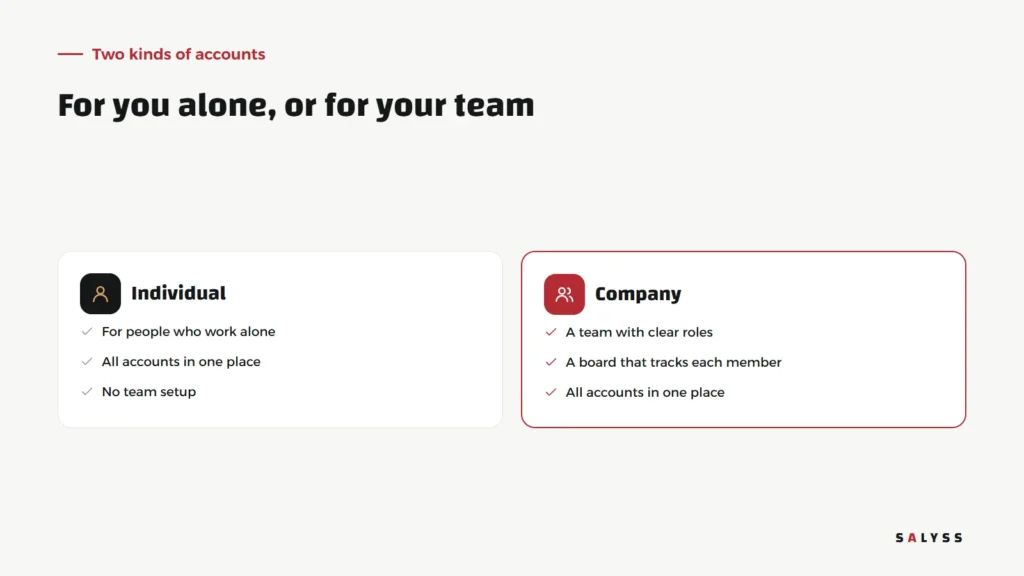
The individual account suits a business owner or freelancer who manages their own accounts and wants them in one place. The company account adds what a team needs: members with clear roles, and a dashboard to follow each member’s performance.
Roles before tools
Before choosing any tool, write down who does what in your team. Who writes? Who designs? Who approves publishing? Who answers messages and comments? That simple sheet is what later becomes roles inside the system. A good tool does not invent your way of working; it locks in the way your team agreed on and keeps it from being bypassed.
When roles are clear, the big mistakes drop on their own: an intern does not publish a post nobody reviewed, and a member does not delete something outside their responsibility.
Weekly habits for a social media team
A tool organizes the work, but habits keep it going. These simple habits work for small and large teams alike:
- A short planning meeting at the start of the week: what we will post, who owns each post, and when.
- One review before publishing: someone other than the writer reads the post and catches mistakes before the audience does.
- Set times for answering messages: instead of everyone replying whenever they remember, each part of the day has an owner.
- A look at results at the end of the week: what worked, what nobody engaged with, and what to change next week.
These habits take little time, but they turn the accounts from a stop-start individual effort into steady teamwork.
Following performance without micromanaging
The point of a performance dashboard is not to watch employees but to see the work. When a manager knows what each member got done, they can share tasks fairly, see where the team needs help, and recognize who is really delivering. And when members know their work is visible, they do not have to prove it in every meeting.
How to get started

- Create an individual or company account, depending on how you work.
- Bring the social accounts you manage into the dashboard.
- If you work with a team, add members and set each one’s role.
- Check the performance dashboard after a week to see how the work is going.
The trial is free for 14 days with no payment card. Details are on the SALYSS Connect page (in Arabic).
When social media becomes part of sales
In many companies, a customer’s journey starts with a message on a page or a comment on a post. Then well-run accounts are not enough: those messages have to reach the sales team and be followed up. If that is what you need, book a free consultation and we will look at how social media connects to sales and customers in your company.
Frequently asked questions
Does SALYSS Connect suit people who work alone?
Yes. There is an individual account for people who manage their own accounts, and a company account for teams.
Is there a free trial?
Yes, a 14-day free trial with no payment card.
Does the team need to share account passwords?
The point of a company account is that each member works within their role inside the dashboard, instead of passing passwords around.