User permissions and customer data protection
The biggest risk to your customer data is often not an outside attack but open permissions inside. How do you organize who sees what in your company?
When people talk about data protection, many picture a hacker far away. But in most small and mid-sized companies, the closest risk is inside: a customer file everyone opens, one account used by five employees, a person who left the company whose login still works. Organizing user permissions is not administrative red tape; it protects your customers and your company together.
Where does data usually leak?
- Full access for everyone: every employee sees the whole customer base, including customers unrelated to them.
- Shared accounts: one password the whole department knows, so nobody can tell who did what.
- Someone who left: and can still log in, or still has a copy of the customer file.
- Unlimited export: anyone can download all the data in one file.
Everyone sees only what they need
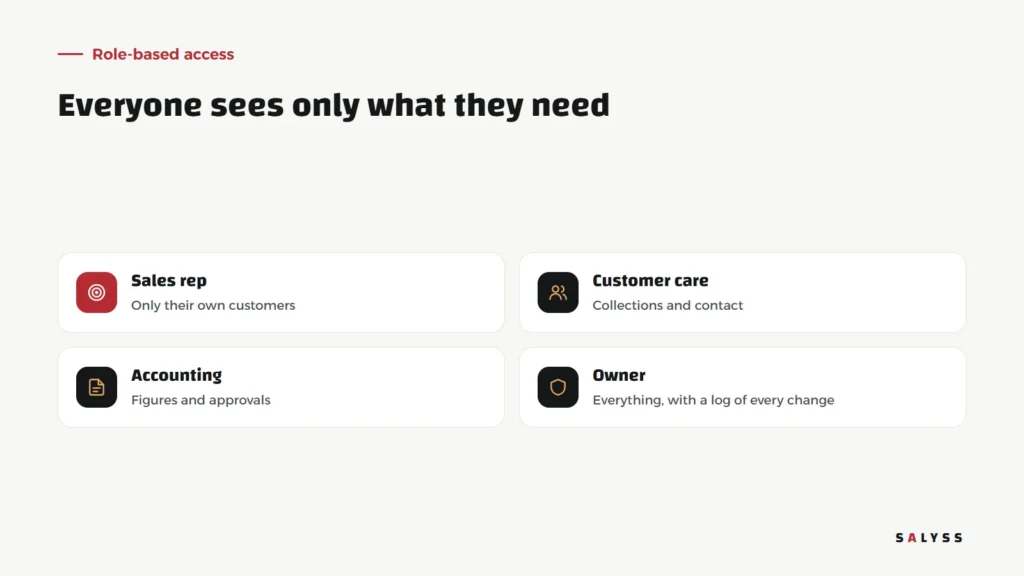
The principle is simple: every employee gets the least access their work requires. A rep sees their own customers, not colleagues’. Customer care sees collections and contact. Accounting sees figures and approvals. The owner sees everything, with a log of every change. These are not restrictions on work but a way to make screens clearer and work faster, because each employee finds their own work without clutter.
Six simple rules inside the company
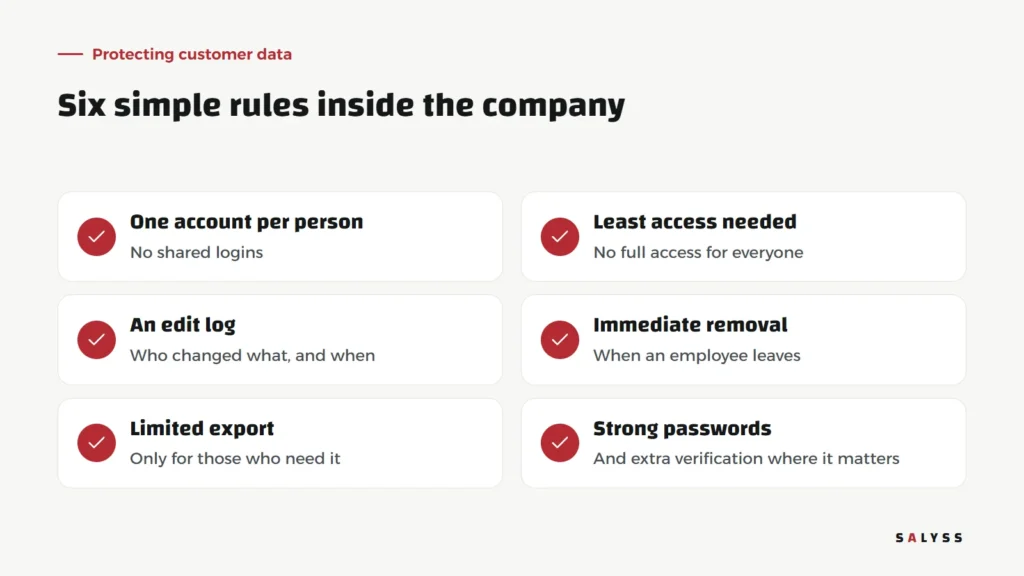
One account per person
No shared accounts, even if they seem easier. A personal account is what makes a log possible and removal possible.
Least access needed
Start from the minimum and add when there is a real need, not the other way round.
An edit log
Who changed the phone number? Who deleted this customer? The log answers, and protects honest employees before it exposes mistakes.
Immediate removal on leaving
The day an employee leaves is the day their account is disabled, with their customers and tasks moved to a colleague so nobody is lost.
Limited export
Downloading the full database is a special permission, not an option for everyone.
Strong passwords
And extra verification for accounts with broad access.
When an employee leaves
This moment reveals whether permissions were organized. In an organized company: the account is disabled, customers and tasks move to a colleague in a click, and the record of everything the employee did stays in the system. In a disorganized one: everyone hunts for files that were on their laptop, and customers call to find nobody who knows their story.
Permissions make work faster, not slower
Some managers fear permissions will slow work down. Experience says the opposite: an employee who sees only their customers finds them faster, does not make mistakes on someone else’s customer, and does not carry responsibility for data they do not need. In SALYSS Business Park every role has its own screens and permissions from the start, so nobody has to hide anything manually.
Data outside the system
Sometimes data is protected inside the system, then leaves it in messages and files: a customer list sent to a chat group, an instalments file saved on a personal device, a photo of a statement sent to the wrong customer. So the rules must cover what happens beyond the system too: what may be sent outside it, how, and to whom. The more the system gives employees what they need inside it, the less they need to take data out at all.
Customer trust is part of the value
Customers give you their phone number, address and payment details because they trust you. Protecting that data is part of the service, and leaking it costs a reputation that is hard to rebuild. A company that can tell customers their data is seen only by those who serve them offers a promise with real value.
Start with a simple review
Ask three questions this week: how many shared accounts do we have? Is there anyone who left whose account still works? Who can download the full customer file? The answers tell you where to start. Explore SALYSS Platform (page in Arabic), or book a free consultation to review the permissions in your systems.
Frequently asked questions
Why not give everyone full access to make work easier?
Because every unnecessary permission raises the chance of mistakes and leaks. Employees work faster when they see only their own work, and data stays safer.
What should we do when an employee leaves?
Disable their account immediately, move their customers and tasks to a colleague, and keep their work history in the system.
Are shared accounts really a problem?
Yes. When several people use one account, you cannot tell who did what, and you cannot remove one person without affecting the rest.